
AI image Style
Photorealistic
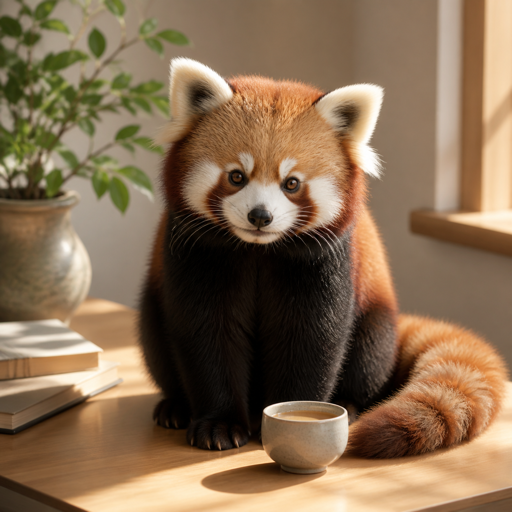
Natural light, believable materials, and real-world detail.
Opens with Photorealistic selected. Add your idea or source image after entering.
Compare another lookMatch the look to the task
Where Photorealistic
can help.
- Product concepts
- Believable environments and portraits
When another look may fit better
- Generated anatomy, text, labels, and reflections can be inaccurate
- A realistic appearance is not proof that an event or product exists
Your idea still matters
What to describe
with Photorealistic.
A Style guides the treatment of the image. Your prompt supplies the subject, setting, action, and the details that make it yours. Start with a sentence you can picture, then add what matters.
“A red panda botanist carrying a terracotta pot through a greenhouse, morning light.”
The character, prop, place, and light come from the prompt. Photorealistic gives those things a visual direction.
Describe the lighting, lens viewpoint, and materials
Name the real-world setting and time of day
Compare visual treatments
Which look supports
your idea?
Photorealistic This page
Believable light and materials. Natural camera-like detail.
Cinematic
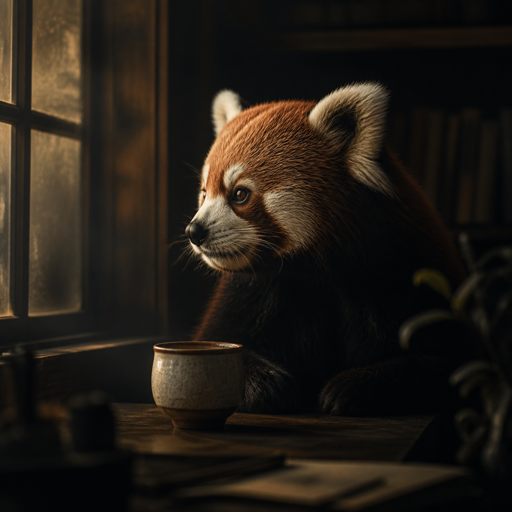
Directional lighting and atmosphere. Film-like framing and depth.
Explore CinematicThese red panda examples share a subject, but pose, composition, and light also differ. Use them to compare visual direction, rather than as a controlled test of Style settings.
How do you want
to begin?
You can make a new image from an idea, or take an existing image in another direction. The first result is a starting point you can keep exploring.
Signed-in results are saved as Creations you can reopen and continue. Guest work stays in this browser. Keep a useful result, try a variation or another transformation, and download when you are ready to use it.
Prefer to describe your own look? Create without a Style →